Capture
Work activity is recorded automatically based on your organization’s configuration.
Ralvie AI helps businesses understand how teams work and where time is spent through AI-powered productivity insights, dashboards, and work summaries.
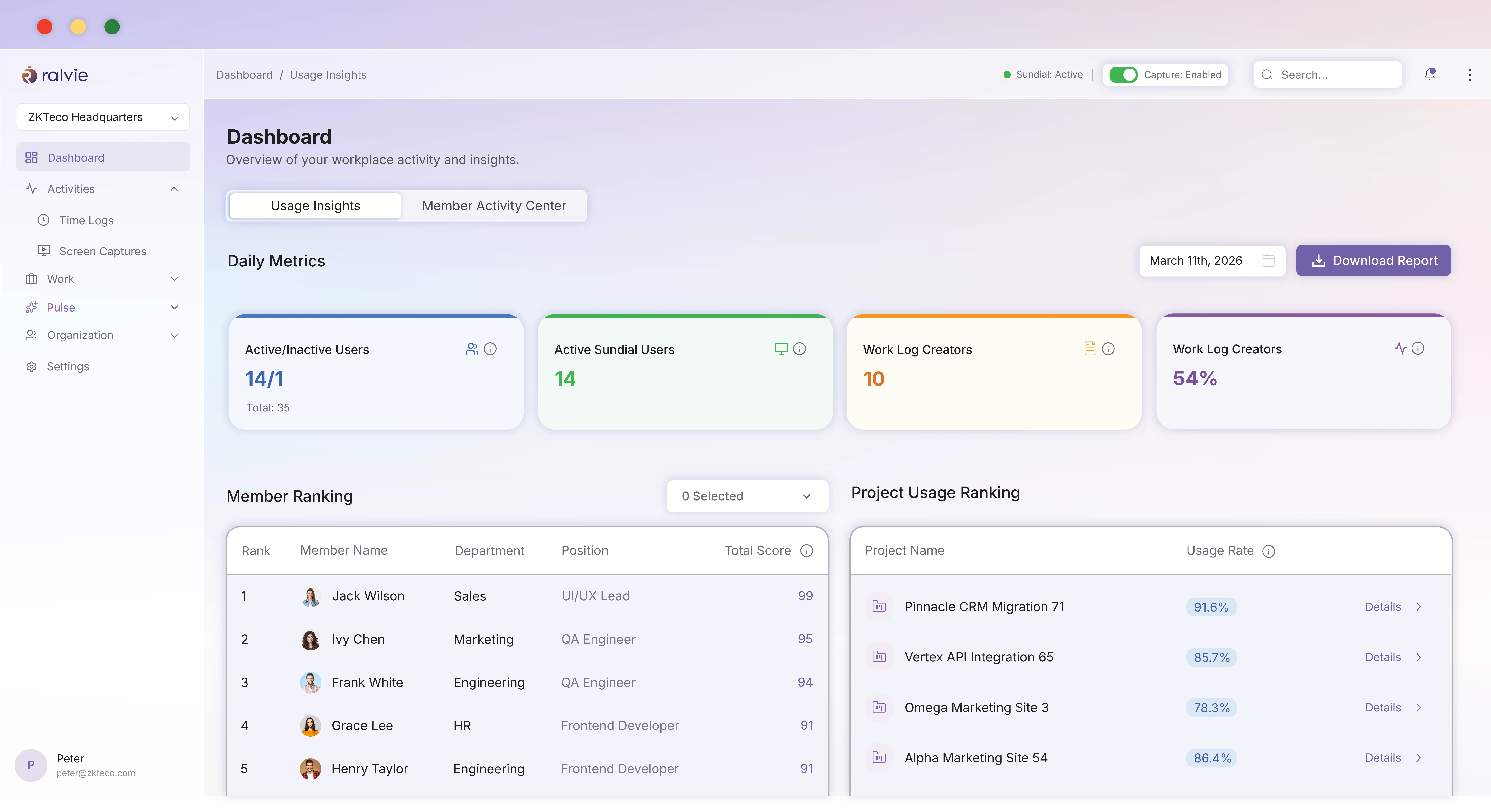
Ralvie turns fragmented workplace activity into connected context your employees, managers, and leaders can use.
RALVIE TASK INTELLIGENCE
Work activity is recorded automatically based on your organization’s configuration.
Ralvie adds useful application, document, window, idle-time, and work-session context.
AI-assisted workflows connect work to the right projects and tasks.
Dashboards turn workplace data into practical productivity and workload intelligence.
Daily, weekly, and custom-period work summaries are generated from real activity.
Sundial automatically tracks and lists each relevant application session, its precise duration, and the work context around it. This gives employees a complete, accurate picture of their day so they can review their time without having to rebuild it from fragmented memory.
Understand exactly where your time goes, identify patterns in your workflow, and optimize how you spend each hour. From morning standup to end-of-day wrap-up, see every application session in perfect chronological order with full context about what you were working on.
Live activity · Olivia Bennett
Active time6h 04m
Idle context38m
Apps used12
Ralvie Sundial quietly captures applicable workplace activity according to your configuration, providing a reliable timeline of the workday while reducing manual administration.
Ralvie captures application, document, and active-window context; supports configurable idle-time and work-session detection; keeps recording offline until connectivity returns; and works across Windows and macOS.
AI Timesheets transform captured work context into detailed time logs. Employees spend less time remembering what happened, while teams gain a stronger record for billing, reviews, audits, and planning.
13:05 – 13:45Working on API collection
09:45 – 10:30Reviewing request items
13:05 – 13:45Working on client handoff
09:45 – 10:30Reviewing delivery notes
13:05 – 13:45Working on authentication
09:45 – 10:30Reviewing pull request
13:05 – 13:45Working on design review
09:45 – 10:30Reviewing component states
13:05 – 13:45Reviewing client feedback
09:45 – 10:30Updating delivery checklist
13:05 – 13:45Documenting release notes
09:45 – 10:30Planning tomorrow’s priorities
13:05 – 13:45Joining project wrap-up
09:45 – 10:30Sharing next-step owners
Manage actionable work across every project.
Create, assign, and organize work with ownership, priority, due dates, and project context connected from the outset. Ralvie turns every assignment into a shared, actionable record—so teams can see what needs attention, understand the effort behind each status, and keep progress moving without chasing updates across tools.
Manage and understand project execution.
Ralvie helps associate activity with the right projects and tasks, creating a live view of effort, contribution, progress, and emerging risk across your organization.
The Ralvie Summary Agent converts captured activity into structured daily, weekly, or custom-period summaries. Choose concise, detailed, project-based, or outcome-oriented formats for the audience that needs them.
Build accurate, structured time records from captured work context without reconstructing the day.
Understand where effort is going and connect activity, tasks, time, and progress.
Turn detailed activity into concise daily, weekly, or custom updates in useful formats.
Explore focus, workload, project distribution, application use, and work patterns.
See which applications support productive work and how tool usage changes over time.
Configure schedules, tracking, visibility, permissions, and capture settings for your policies.
Each capability adds a useful layer of context, from captured activity and visual work records to time, tasks, projects, and productivity signals. Together, they help teams move from everyday work to clearer review, planning, and delivery decisions.
Capture approved workplace activity and turn it into useful work context.
Explore moreReview tracked and logged work together in one clear day.
Explore moreAdd authorized visual context within transparent schedules and access boundaries.
Explore moreConnect work effort with clear ownership, priority, and task progress.
Explore moreUnderstand effort, delivery health, and work distribution across initiatives.
Explore moreTurn connected work signals into useful trends and decisions.
Explore moreWork intelligence should support people, not create ambiguity. Ralvie gives organizations control over what is captured, when it is captured, and who can see it.
Connect attendance, projects, tasks, and worklogs with Ralvie AI to create unified productivity context without replacing the tools your teams already use.

Sync attendance and time-tracking data for complete workforce visibility.

Import members, projects, tasks, and worklogs for unified AI-powered insights.
 Ralvie AIProductivity intelligence Secured
 Looking for something specific? Book a demo and we’ll walk through your workflow.
Ralvie AI Productivity is a workforce productivity and work-intelligence platform that automatically captures workplace activity, organizes time around projects and tasks, generates AI-assisted timesheets and summaries, and analyzes productivity patterns.
Yes. The Ralvie Sundial desktop application can capture applicable workplace activity automatically according to your organization’s configuration.
Ralvie Sundial supports supported Windows and macOS environments.
Ralvie is designed to reduce dependence on manual timers by using automatic activity tracking.
Depending on your configuration, Ralvie can capture relevant information associated with applications, documents, windows, activity periods, idle time, and work sessions.
Applicable activity can be captured locally when connectivity is unavailable and synchronized when the connection returns.
Yes. AI-assisted workflows help associate work activity with relevant projects and tasks.
AI Timesheets use captured work context to create structured time records, reducing the need for employees to reconstruct their workday manually.
Yes. The Summary Agent can turn work activity into structured daily, weekly, or custom-period summaries.
Yes. Reports and analytics cover workload, focus versus idle time, project distribution, application usage, and broader productivity patterns.
Ralvie provides team-level productivity views and reporting according to organizational roles and permissions.
Yes. Organizations can configure working hours and schedules to provide better context around captured activity.
No. Ralvie supports remote, hybrid, office-based, and project-based working environments.
Ralvie supports integrations that connect productivity information with project, task, accounting, and other business workflows.
Organizations can configure tracking and visibility according to workplace policies, roles, schedules, and applicable privacy requirements.
Ralvie AI Productivity helps businesses improve workforce visibility, automate time tracking, simplify reporting, and gain actionable insights into how teams spend their time through AI-powered productivity management.
Smarter workforce visibility. Less manual reporting. Better productivity decisions.